
UPDATE:
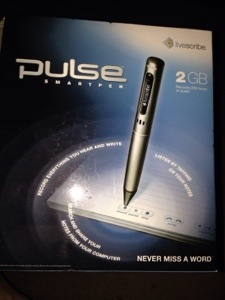
Currently I am researching pens that can upload through USB and newer ones that will wifi to a Cloud to download later.
My starting point:
Genealogy: Strategies for interpreting writings
Mormon Times
Jan 18, 2014
“Whether you are reviewing a letter, journal, postcard or other writing of an ancestor, there are several strategies for…”
2012 November
Family History Volunteers Reach Billion-Record Milestone
LDS Newsroom
Apr 21, 2013
Faded Image:
I found something that appears to work for me. I go to the full image, find the name I am indexing, set the screen to include the adjacent names, then I drag the image in small circles. I do not know why but the name often appears.
This may be the key to preparing these images.
Using Dragon on iPhone 5:
I discovered that my new iPhone 5 has Dragon (voice recognition) embedded in it and it works great with the Indexing app. Hurray, I am a Dragon fan. Plus, the iPhone 5 has noise cancelation (one of its microphones is aimed away from you to the sound in the room enabling the iPhone 5 to remove those unwanted sounds).
I use Dragon for what it does best, interleaved with my typing. Never Dragon all by itself. For example, I use a stylus for initials and names I am not confident in pronouncing. I have found that a 7.3 inch stylus takes less hand movement, plus feels like a pen. I often pronounce the first part of a name completing it with the stylus: names that start with easily recognized words.
At first, voice recognition is really useful for what’s called Freestyle Writing (footnote1), where you are just getting your thoughts on paper, planning to go back and edit. I image a friend I am talking to. I say “New Paragraph” a lot. On the PC it can be told to add punctuation itself.
Pronouncing the names when first looking at them has always been useful to me for seeing slightly written letters. Reading I have an easier time filling in ambiguities due to stylized cursive.
While iPhone Indexing (footnote 2),I use it for long family names that I think it would recognize like Wilhelmina, Fredrickson, or Anderson, and a lot of short first and last names, but not for the initials. I say “cap” a lot.
If underlined with dots then there was another choice and the names are there quite frequently.
Often I pronounce the longer names just to see what Dragon comes up with and then compare that to the handwriting, to see some of the slightly-written cursive letters that are commonly there but easy for me to miss.
Also during PC Indexing, I found Dragon most useful for States, for example on the Census form I dictate all the states at once, dictation combined with how the Indexing software will repeat the last state entered with just the first letter. Secondly, I go into numeral mood and enter the column of ages and family numbers, using Down Arrow; my foot peddle is set to Down Arrow (a Six Sigma nut)
Accents can be entered by holding down, for example, the virtual keyboard letter “e” and then sliding the cursor across to the desired accent: è é ê ë ē ė ę (see footnote 3).
Just talk to it and see what it recognizes, getting my staffs to use it greatly increased how easy it was to understand each other. Several mentioned that they understood why they were being misunderstood; words that were simply wrong, switching tenses, simple grammar rules… They discovered: that Words which could be heard differently are the most helpful and how to watch for anything that relying on the emotional inflections of the speaker; once written the voice inflection showing emotion is gone, the words must speak for themselves.
More
When looking for the last name which appears more than once without its last name immediately after, look at the marks above and below the first name that you’re looking at to identify which one it is. When the first name is an abbreviation, look for the number of periods or dashes immediately after because that is sometimes used to identify it from the others.
My experience log:
Personal grand total:
1632 on 7/26
2792 on 8/31
4001 on 9/18
8011 on 10/30
12,011 on 11/25
15003 on 12/18
17003 on 1/21
17689 on 2/1
18001 on 2/24
Footnote: 1
Freestyle Writing eHow description
Footnote: 2
Footnote: 3
http://www.ehow.com/how_8563618_put-accents-over-words-cellphone.html
(no content on BadComma blog is endorsed by The Church of Jesus Christ of Latter-Day Saints]